Loading…
Changelog
Every mile we improved.
New ideas. Smoother journeys. Every release across the Windows client, website, Driver Hub and Discord, all in one place.
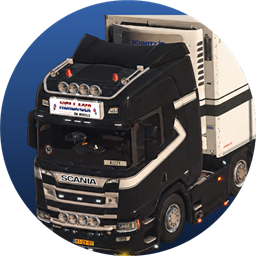
Burak
Yo, Burak here. New stuff rolls off the line all the time. Pick a lane and I'll tell you what's fresh.
LATEST RELEASEWindows clientv1.1.5
Now liveYour overlays, your layout
The Overlay Studio enters Beta with movable widgets, custom colours and a delivery card you can arrange yourself. Burak introduces the update in the cab.
- NewOpen the Overlay Studio (Beta) with F8. Pull widgets out of the status bar and use them separately as chips, tiles or meters.
- NewChoose colour presets or your own colours globally, for the status bar or for individual overlays. Configure the delivery card’s blocks and up to four figures.
- NewThe telemetry plugin adds speed limit, cruise control, game time and next rest stop. These widgets appear only when the game supplies the values.
- NewAfter your first drive with this update, Burak explains the new overlays once in the cab.
THE TIMELINE
125 releasesNewest firstAll releases
October 2026
40 releasesv1.1.5Windows clientLatestYour overlays, your layout
The Overlay Studio enters Beta with movable widgets, custom colours and a delivery card you can arrange yourself. Burak introduces the update in the cab.
4New1ImprovedRelease notes
v1.1.5Windows clientLatest
Your overlays, your layout
The Overlay Studio enters Beta with movable widgets, custom colours and a delivery card you can arrange yourself. Burak introduces the update in the cab.
4New1Improved
- NewOpen the Overlay Studio (Beta) with F8. Pull widgets out of the status bar and use them separately as chips, tiles or meters.
- NewChoose colour presets or your own colours globally, for the status bar or for individual overlays. Configure the delivery card’s blocks and up to four figures.
- ImprovedEveryone starts with the new ThermoExpress standard layout after this update. Layout and colours can be reset separately in the studio and take effect when saved.
- NewThe telemetry plugin adds speed limit, cruise control, game time and next rest stop. These widgets appear only when the game supplies the values.
- NewAfter your first drive with this update, Burak explains the new overlays once in the cab.
WEB / 23Driver HubTeam applications open to every account
Any signed-in ThermoExpress member can apply for open team positions. Human Resources gets a probation overview, and Burak announces recruitment on the homepage.
2New1Improved1FixedRelease notes
WEB / 23Driver Hub
Team applications open to every account
Any signed-in ThermoExpress member can apply for open team positions. Human Resources gets a probation overview, and Burak announces recruitment on the homepage.
2New1Improved1Fixed
- ImprovedTeam applications no longer require the Driver role, a completed probation waiting period or a linked Steam account. Each position keeps its own requirements.
- NewHuman Resources can search active probation periods, filter reviews that are due and complete a probation review manually after confirmation.
- NewBurak shows whether recruitment is open on the homepage, links to available positions and announces a changed status or reminds you after seven days.
- FixedAutomatic tour highlights in the Driver Hub now display correctly.
v1.18.1DiscordThe new ThermoExpress look on Discord
Discord announcements and branded notification cards now use the new ThermoExpress server logo.
1ImprovedRelease notes
v1.18.1Discord
The new ThermoExpress look on Discord
Discord announcements and branded notification cards now use the new ThermoExpress server logo.
1Improved
- ImprovedClient update announcements and branded notification cards use the new Discord logo.
v1.1.4Windows clientA new logo and a setup with Burak
The Tracker gets the new ThermoExpress logo and a rebuilt black setup with a language choice and live installation progress.
1New2ImprovedRelease notes
v1.1.4Windows client
A new logo and a setup with Burak
The Tracker gets the new ThermoExpress logo and a rebuilt black setup with a language choice and live installation progress.
1New2Improved
- ImprovedThe new ThermoExpress logo appears in the client, on the desktop shortcut and in the taskbar. Existing shortcuts are updated too.
- NewThe new setup starts with Deutsch, English or Türkçe, then Burak guides you through the installation.
- ImprovedInstallation and setup updates show the current step, remaining time and file being copied, with a confirmation before cancelling.
WEB / 22Driver HubA verified email for your account
Set up and verify your account email with clearer guidance and refreshed confirmation and password-reset emails.
1New1Improved1FixedRelease notes
WEB / 22Driver Hub
A verified email for your account
Set up and verify your account email with clearer guidance and refreshed confirmation and password-reset emails.
1New1Improved1Fixed
- NewThe email setup guides you through adding an address and confirming the link. A dedicated page confirms successful verification.
- ImprovedAccount confirmation and password-reset emails use refreshed templates and clearer instructions in the supported email languages.
- FixedMail delivery handles connection failures more reliably, and email setup and reset pages show clearer feedback when sending fails.
WEB / 21WebsiteRefreshed profiles, sign-in and convoys
Public profiles and sign-in get a clearer design, and convoys can be managed on the website and discovered from the homepage.
1New2ImprovedRelease notes
WEB / 21Website
Refreshed profiles, sign-in and convoys
Public profiles and sign-in get a clearer design, and convoys can be managed on the website and discovered from the homepage.
1New2Improved
- ImprovedPublic driver profiles have a refreshed layout for the driver card, identity, statistics and profile customisation.
- ImprovedThe sign-in and password-reset pages have a clearer layout, and password fields include a show-password button.
- NewAdministrators can manage website convoys, and the homepage highlights an upcoming convoy with a link to the event details.
v1.1.3Windows clientProMods downloads and the Overlay Studio
Manage ProMods inside the Tracker, customise your overlays with F8 and see your Discord identity in the client.
2New2ImprovedRelease notes
v1.1.3Windows client
ProMods downloads and the Overlay Studio
Manage ProMods inside the Tracker, customise your overlays with F8 and see your Discord identity in the client.
2New2Improved
- NewThe ProMods library downloads, installs and uninstalls packages in your ETS2 mod folder, with progress and an installation overview.
- NewPress F8 to open the Overlay Studio and configure the in-game overlays and optional status bar.
- ImprovedYour client profile shows your Discord name and avatar, ETS2 and ATS playtime and ThermoExpress membership. Burak’s sign-in help opens from a button.
- ImprovedIn-game notifications are clearer, and Discord Rich Presence refreshes your live driving status every four seconds.
WEB / 20Driver HubPartner tools and Save-Edit publishing
Partners manage their team and Discord posts, publishers upload save edits from the web, and profiles get more reliable pictures.
2New1Improved1FixedRelease notes
WEB / 20Driver Hub
Partner tools and Save-Edit publishing
Partners manage their team and Discord posts, publishers upload save edits from the web, and profiles get more reliable pictures.
2New1Improved1Fixed
- NewPartner workspaces include crew invitations, Discord bot connection and an embed builder with image selection and preview.
- NewMembers with publishing permission can upload save edits with SII code, images, categories and tags, and preview the complete detail view before publishing.
- ImprovedThe Save-Edit browser adds clearer search and discovery, while company pages introduce the founders in their own profiles.
- FixedAvatar loading uses a shared image component and fallback across public profiles, the hubs and team workspaces.
v1.18.0DiscordVerified deliveries and partner connections
Delivery cards show more of each tracked job, and partners can connect Discord through their website workspace.
1New2ImprovedRelease notes
v1.18.0Discord
Verified deliveries and partner connections
Delivery cards show more of each tracked job, and partners can connect Discord through their website workspace.
1New2Improved
- ImprovedVerified delivery cards show the driver, freight, truck, distance, driving time, damage and freight speed policy, with links to job details and the driver profile.
- NewPartner teams can connect their Discord bot and prepare channel posts through the partner workspace and embed builder.
- ImprovedFreight speed checks distinguish the ETS2 limit of 95 km/h from the ATS limit of 75 mph in delivery and violation notices.
v1.1.1Windows clientATS units and reliable channel switching
ATS uses its own freight speed limit and distance units. Switching between Stable and Dev works in both directions.
1Improved2FixedRelease notes
v1.1.1Windows client
ATS units and reliable channel switching
ATS uses its own freight speed limit and distance units. Switching between Stable and Dev works in both directions.
1Improved2Fixed
- FixedThe freight speed limit is 75 mph in ATS and remains 95 km/h in ETS2, including the related reports and notifications.
- ImprovedDiscord Rich Presence shows mph and miles when driving in ATS.
- FixedSwitching between Stable and Dev uses the selected channel’s full setup in either direction. Dev builds show their own build number.
v1.1.0Windows clientBurak helps you get started
Burak joins the Tracker with help for signing in and finding your way around the client.
2New1ImprovedRelease notes
v1.1.0Windows client
Burak helps you get started
Burak joins the Tracker with help for signing in and finding your way around the client.
2New1Improved
- NewAsk Burak for help with signing in, your tracker token and the first steps in the client.
- NewBurak introduces the overview, routes, driver tablet, clips, Save Edit and settings with clickable explanations.
- ImprovedA full setup and direct TXUpdates from versions 0.9.11 and 1.0.0 are available for this release.
v1.0.0Windows clientThe Tracker reaches 1.0
The driver Tracker moves to version 1.0.0 with a matching Windows setup.
2ImprovedRelease notes
v1.0.0Windows client
The Tracker reaches 1.0
The driver Tracker moves to version 1.0.0 with a matching Windows setup.
2Improved
- ImprovedThe application and Windows installer now both identify the driver Tracker as version 1.0.0.
- ImprovedThe driver Tracker keeps the Save-Edit forum and save tools alongside its driving features.
v0.9.11Windows clientTracker and Save Edit become separate clients
Drivers keep their Tracker, while community members get a separate Save-Edit client with Discord sign-in.
1New1Improved1FixedRelease notes
v0.9.11Windows client
Tracker and Save Edit become separate clients
Drivers keep their Tracker, while community members get a separate Save-Edit client with Discord sign-in.
1New1Improved1Fixed
- NewThe standalone Save-Edit client has its own installer, account connection, settings and updates alongside the driver Tracker.
- ImprovedSave-Edit members connect through the website using their Discord ID and a confirmation code. The driver Tracker keeps its tracker-token sign-in.
- FixedThe two clients keep their saved accounts and local settings separate, and the setup identifies the correct product.
WEB / 19Driver HubA home for the Save-Edit community
The hub selection brings the Driver Hub and Save-Edit Hub together, while each keeps its own access and downloads.
2New1ImprovedRelease notes
WEB / 19Driver Hub
A home for the Save-Edit community
The hub selection brings the Driver Hub and Save-Edit Hub together, while each keeps its own access and downloads.
2New1Improved
- NewOverview lets you choose the Driver Hub or Save-Edit Hub. Burak explains each area and how to unlock it.
- NewDiscord members with the Save Edit self-role can browse save edits, like them, keep a library and download the standalone community client.
- ImprovedThe Save-Edit Hub has its own overview, library, downloads and client updates. A switcher connects both hubs according to your permissions.
v0.9.10Windows clientCalls and media on the driver tablet
The tablet gains voice calls, richer chats and road routes. Update checks are more reliable.
2New1Improved1FixedRelease notes
v0.9.10Windows client
Calls and media on the driver tablet
The tablet gains voice calls, richer chats and road routes. Update checks are more reliable.
2New1Improved1Fixed
- NewMake and receive voice calls on the tablet, including group calls. Receive calls can be switched off in Settings.
- NewTablet chats support photos, files, voice messages and stickers, with delivery and read receipts in personal chats.
- ImprovedThe tablet live map draws the road route towards the destination and shares its map and call interface with the service phone.
- FixedUpdate checks handle unavailable downloads more clearly and validate the selected setup or direct update before installation.
WEB / 18Driver HubDriver onboarding with clear next steps
Accepted drivers complete their formalities step by step and exchange replies with Human Resources in the same workspace.
1New2ImprovedRelease notes
WEB / 18Driver Hub
Driver onboarding with clear next steps
Accepted drivers complete their formalities step by step and exchange replies with Human Resources in the same workspace.
1New2Improved
- ImprovedThe onboarding checklist shows the current task, instructions and completion progress in a clearer layout.
- NewDrivers and Human Resources can exchange replies about onboarding tasks, with links that open directly from the conversation.
- ImprovedHuman Resources can review submitted formalities and track what still needs to be completed before onboarding finishes.
WEB / 17Driver HubCalls, voice messages and richer chats
The service phone and driver tablet share calls and media, with clearer online status and message receipts.
2New2ImprovedRelease notes
WEB / 17Driver Hub
Calls, voice messages and richer chats
The service phone and driver tablet share calls and media, with clearer online status and message receipts.
2New2Improved
- NewStart voice calls in personal and group chats, including calls between the service phone and driver tablet. Receive calls can be disabled in Settings.
- NewSend photos, files, voice messages and stickers in chats, or attach documents from the Files app.
- ImprovedPersonal chats distinguish stored, delivered and read messages. Online status and last seen reflect actual activity across your connected devices.
- ImprovedThe phone and tablet live maps draw the road route from the selected truck towards its destination.
WEB / 16WebsiteBurak answers what’s new
The home page opens with a slideshow of our trucks, the changelog with a photo banner like the convoy page, and on both Burak tells you what is new. The website trailer has a new cut, and the release history has been tidied up.
3New3Improved2FixedRelease notes
WEB / 16Website
Burak answers what’s new
The home page opens with a slideshow of our trucks, the changelog with a photo banner like the convoy page, and on both Burak tells you what is new. The website trailer has a new cut, and the release history has been tidied up.
3New3Improved2Fixed
- NewBurak greets you under the header. His buttons replace the product cards: pick All updates, Windows client, website, Driver Hub or Discord, and he reads out its latest release with the highlights. Ask “And before that?” for older ones, or jump straight to the notes. The tour with Burak starts from the same place.
- ImprovedThe changelog opens with a photo banner of two ThermoExpress Scanias, like the convoy page.
- NewThe home page header is a calm slideshow of three ThermoExpress photos at full size. Pick a picture or pause it at the bottom right; with reduced motion it stays on one picture.
- NewBurak greets you on the home page: ask him how to join or what is new, watch the trailer or join our Discord server.
- ImprovedThe website trailer plays the new cut of “Every drive. Connected.” with the complete picture on every screen. Everyone sees it once more on their next visit.
- FixedWindows client releases from 0.6.5 onward show the time they were built, so versions released on the same day appear in the right order.
- FixedWebsite and Driver Hub version numbers follow the order of their releases.
- ImprovedThe changelog lists every Windows client release up to 0.9.9 and the website, Driver Hub and Discord bot updates since early October.
v0.9.9Windows clientA Save-Edit forum in the client
Version 0.9.9 brings a Save-Edit forum into the client: builds and parts from the team that you keep in your library and put straight onto your truck or trailer. The overview is tidier, and the slideshow shows our trucks in full.
6New5Improved1FixedRelease notes
v0.9.9Windows client
A Save-Edit forum in the client
Version 0.9.9 brings a Save-Edit forum into the client: builds and parts from the team that you keep in your library and put straight onto your truck or trailer. The overview is tidier, and the slideshow shows our trucks in full.
6New5Improved1Fixed
- NewThe Save-Edit tab opens a forum with save edits from the team, sorted into categories and tags, with pictures, a readable description and the game.sii code. New posts and changes appear for every driver right away.
- NewLike save edits and keep the ones you want in My library.
- NewPut a save edit directly onto one of your trucks or trailers without downloading a file. You can also copy the code or save it as an .sii file.
- NewBefore a save edit is put on, the client sets a restore point. Undo it with one click from your list of restore points.
- NewAdministrators and founders write and edit posts right in the client, manage categories and tags and pin posts. While they type, the editor shows whether the code can be put on directly.
- ImprovedThe existing save tools for refuelling and switching trucks or trailers sit in a section below the forum that opens on request.
- ImprovedThe overview is tidier: your profile and the truck slideshow sit at the top, followed by who is driving and quick actions. The live map is now on the website only; selecting a driver opens it there.
- ImprovedThe slideshow frames every photo around our trucks, so they are always fully in view.
- ImprovedThe Save-Edit tab has its own wrench icon in the navigation.
- ImprovedDiscord Rich Presence stays in English, whatever language the client uses.
- FixedLeftovers of the retired Job Dispatcher no longer appear as an active plan or in Discord Rich Presence.
- NewA new full setup 0.9.9 is available for new installations and older versions. Version 0.9.8 updates with a small TXUpdate.
v1.17.0DiscordAccept the rules with one reaction
New members accept the server rules with a single reaction before the community channels open, and the self-roles moved into one clear panel.
4New1ImprovedRelease notes
v1.17.0Discord
Accept the rules with one reaction
New members accept the server rules with a single reaction before the community channels open, and the self-roles moved into one clear panel.
4New1Improved
- NewNew members first see Rules and Welcome. Reacting with the verified emoji on the rules message unlocks the community channels; no form or name is needed.
- NewThe rules panel shows ten short rules, and Read full rules opens the complete wording privately.
- NewAdministrators see who confirmed which rule version and when, and every rule update is logged with its author.
- NewWhen the rules change, members get a DM asking them to confirm the new version. Their access stays in place meanwhile.
- ImprovedThe self-role panel is one card with menus for games, languages, platforms and notifications, and now offers twelve languages, from Czech to Turkish.
WEB / 15.1Driver HubService phone messages on your real phone
The service phone can notify you about new messages on your smartphone, even while it is closed.
2New2ImprovedRelease notes
WEB / 15.1Driver Hub
Service phone messages on your real phone
The service phone can notify you about new messages on your smartphone, even while it is closed.
2New2Improved
- NewTurn on notifications to see who wrote and a preview of the message, even when the service phone is closed.
- ImprovedOn an iPhone (iOS 16.4 or later), add the service phone to the home screen and open it from there to allow notifications.
- ImprovedThe round ThermoExpress logo is the app and notification icon.
- NewA soft new sound plays for new messages while the service phone is open. When it is closed, your phone uses its own notification sound.
v0.9.8Windows clientSmoother driving, simpler updates
Version 0.9.8 improves in-game overlays, clips and live video, expands language support and follows your Windows settings. Direct TXUpdates keep installations made with setup 0.9.7 current. Release notes are now available on the website and Discord.
2New6Improved2Fixed1RemovedRelease notes
v0.9.8Windows client
Smoother driving, simpler updates
Version 0.9.8 improves in-game overlays, clips and live video, expands language support and follows your Windows settings. Direct TXUpdates keep installations made with setup 0.9.7 current. Release notes are now available on the website and Discord.
2New6Improved2Fixed1Removed
- ImprovedThe desktop client, driver tablet, overlays and Discord status use revised English, German and Turkish language files. Missing translations fall back to English.
- FixedNew installations follow the Windows language by default. With Windows language selected, the client checks for language changes when you return to its window. Your manually selected language and existing preferences are preserved.
- ImprovedThe client follows the Windows light or dark appearance by default, including its title bar. You can still choose your own appearance in settings.
- NewAdditional local language packs can extend or replace the included translations. Invalid packs are rejected while the bundled languages remain available.
- FixedClips and live video retain the actual timing of captured frames when the game runs below the selected recording frame rate. This prevents queued frames from being dropped and sections of the video from jumping under heavy game load.
- ImprovedVisible in-game overlays animate smoothly even when no clip or live video is being recorded. Hidden delivery cards and recording indicators stop their animations; removed notifications release theirs.
- ImprovedThe delivery card and recording indicator avoid redrawing unchanged text, images and progress, reducing unnecessary work while driving.
- NewSetup 0.9.7 remains supported for new installations. Direct TXUpdate packages update it to 0.9.8, and future releases can update every supported installed version straight to the latest release without another setup or intermediate updates.
- ImprovedEach direct update package accounts for changed files, reverted changes and deletions relative to its exact installed base version, including when users skip releases.
- RemovedRemoved the in-client version preview, its replay button and the bundled changelog files. Read release notes in the website changelog and What's new window or in the Discord update announcement. The separate intro trailer remains available.
- ImprovedNew client releases receive a Discord announcement with the version, release notes and update instructions. Failed announcement steps are retried, including after a server restart.
WEB / 15WebsiteA clearer website, now also in Turkish
The website speaks Turkish, the navigation sorts every page into a few clear menus, and the public pages share one clean look.
1New5ImprovedRelease notes
WEB / 15Website
A clearer website, now also in Turkish
The website speaks Turkish, the navigation sorts every page into a few clear menus, and the public pages share one clean look.
1New5Improved
- NewTurkish is available as a website language, with natural translations and Turkish date and number formats.
- ImprovedThe navigation sorts pages into Company, Fleet, Community and Resources, keeps the language switch, notifications and your account within reach and works better on phones.
- ImprovedPublic pages share one header with a short introduction instead of long article layouts. Convoys and Community open with a photo banner.
- ImprovedUpcoming convoys appear as cards with a photo, date, route and countdown. Select one for the meeting point, departure, server and event link.
- ImprovedThe leaderboard puts the top three on a podium in gold, silver and bronze and keeps their colours while you search.
- ImprovedThe application page is rebuilt: a progress bar shows how many of the four steps are done, and only the current step is shown.
v0.9.7Windows clientYour window, your controls
Version 0.9.7 adapts the desktop client to smaller windows and lets you choose keyboard shortcuts for the tablet and overlays. It also brings a revised save editor and the live roadmap to the client.
2New2Improved1FixedRelease notes
v0.9.7Windows client
Your window, your controls
Version 0.9.7 adapts the desktop client to smaller windows and lets you choose keyboard shortcuts for the tablet and overlays. It also brings a revised save editor and the live roadmap to the client.
2New2Improved1Fixed
- ImprovedResize the client window freely. Navigation, pages, settings and buttons adapt, keeping content reachable even at higher Windows display scaling.
- NewChange shortcuts for the tablet, tablet interaction, tablet home, HUD editor and overlay visibility in settings. Duplicate bindings and reserved Windows combinations are detected.
- FixedThe visible tablet leaves keyboard and mouse input with the game until you explicitly enable interaction. Closing it returns focus to the game; returned tablet pages adapt to the current client width.
- ImprovedThe save editor focuses on switching trucks, filling the tank and switching trailers. It supports the current save format and preserves the saved truck position. Safety checks and backups protect the original save.
- NewThe In Dev page shows the roadmap enabled by the team, with status, changes and images. Open entries follow updates published on the website.
WEB / 14Driver HubThe service phone for the team
Team members can chat with drivers from their smartphone: the service phone at /phone works like the driver tablet in the client, with chats and files in your pocket.
4New2Improved1FixedRelease notes
WEB / 14Driver Hub
The service phone for the team
Team members can chat with drivers from their smartphone: the service phone at /phone works like the driver tablet in the client, with chats and files in your pocket.
4New2Improved1Fixed
- NewOn a smartphone, /phone opens the service phone full screen with a lock screen, home screen and dock, like the driver tablet in the client.
- NewChat with drivers and the ThermoExpress group while you are away from the PC. Unread messages show as a badge on the app icon.
- NewThe Files app lists every driver’s freight bills, fuel receipts and incident reports by month. Each one opens as a PDF and can be shared or saved through the phone’s share menu.
- NewShared folders for the whole team or selected people hold your own photos and PDFs, including pictures taken straight from the camera.
- ImprovedThe ThermoExpress group starts fresh with a pinned welcome message from ThermoExpress that explains what the group is for and how we treat each other. The previous group is archived.
- ImprovedOn a computer, /phone shows a QR code that opens the service phone on your smartphone. Tablets show a short notice instead.
- FixedAdded to the iPhone home screen, the service phone fills the whole screen right away.
v0.9.6Windows clientKeep keyboard input in the game
Version 0.9.6 fixes a focus issue between the tracker and ETS2/ATS. In-game indicators stay visible without taking keyboard input away from the game.
3FixedRelease notes
v0.9.6Windows client
Keep keyboard input in the game
Version 0.9.6 fixes a focus issue between the tracker and ETS2/ATS. In-game indicators stay visible without taking keyboard input away from the game.
3Fixed
- FixedNotifications, the delivery card and the recording indicator do not take keyboard focus when shown or moved. The game stays responsive after switching windows.
- FixedF8 and Home open interactive overlays through Windows hotkeys. The keys are active only in the game or an open in-game interactive overlay; closing returns focus to the game.
- FixedThe F8 editor closes when switching back to the game. Passive indicators hide when the game is paused, minimized or another application is foreground.
v0.9.5Windows clientYour tablet, your chat
Version 0.9.5 redesigns the home screen, chat and settings in the driver tablet. Voice messages, configurable chat notifications and more tools for group admins are new. The ThermoExpress wallpaper stays in place; choose your own image right in the tablet.
1New2Improved2FixedRelease notes
v0.9.5Windows client
Your tablet, your chat
Version 0.9.5 redesigns the home screen, chat and settings in the driver tablet. Voice messages, configurable chat notifications and more tools for group admins are new. The ThermoExpress wallpaper stays in place; choose your own image right in the tablet.
1New2Improved2Fixed
- ImprovedRedesigned chat layout with clear panes, rounded messages and separate text drafts for each chat.
- NewPrivate chats can be blocked and unblocked while their existing history remains readable.
- ImprovedTablet settings have their own navigation for Tablet, Chat, Notifications and About. General client settings remain in the desktop client.
- FixedRecording and playback resources are released when leaving chat. An incoming timeout also stops an ongoing microphone recording.
- FixedCustom wallpapers are checked before being applied. Missing or damaged images fall back to the bundled image; rapid chat switching and cancelled requests are handled more safely.
v0.9.4Windows clientChats in the driver tablet
Version 0.9.4 brings the ThermoExpress chat to the driver tablet, together with company news, settings right in the tablet and a new Discord status. Speed and remaining distance now follow the game smoothly.
1New3ImprovedRelease notes
v0.9.4Windows client
Chats in the driver tablet
Version 0.9.4 brings the ThermoExpress chat to the driver tablet, together with company news, settings right in the tablet and a new Discord status. Speed and remaining distance now follow the game smoothly.
1New3Improved
- NewSettings in the tablet: notifications, Discord status, recording and in-game overlays can be switched on the road and are saved at once.
- ImprovedThe Discord status shows at a glance what you are doing: your tour with the time left, the open tablet app, the HUD editor or the client section.
- ImprovedSpeed and remaining distance in the tablet and on the delivery card now follow every game frame. Restart the game once after the update so it loads the updated telemetry plugin.
- ImprovedA new version preview with pictures and a redesigned sign-in beside the depot photo.
v1.16.0DiscordThe Save-Edit library and a radio that keeps playing
Administrators set up the Save-Edit library from any channel, and the radio keeps playing when the station or track changes.
2New1ImprovedRelease notes
v1.16.0Discord
The Save-Edit library and a radio that keeps playing
Administrators set up the Save-Edit library from any channel, and the radio keeps playing when the station or track changes.
2New1Improved
- New/save-edit-library setup works in any channel and opens a private selector for the publication channel and a private admin channel.
- NewThe admin board has the guide, the folder cards and buttons to add, browse and edit save edits. The publication channel shows only the folders and the published codes and pictures.
- ImprovedThe radio stays in the voice channel when the station or track changes. Running /radio start for the station that is already playing only refreshes the display.
WEB / 13.2Driver HubA steady driver list on the live map
Drivers in the live map list no longer swap places every few seconds while their trucks send new positions.
1FixedRelease notes
WEB / 13.2Driver Hub
A steady driver list on the live map
Drivers in the live map list no longer swap places every few seconds while their trucks send new positions.
1Fixed
- FixedThe driver list on the live map is sorted by name, so two drivers on the road no longer trade places with every update.
v0.9.3Windows clientRecording without the yellow border
Version 0.9.3 improves 60 FPS clips and live streaming while driving. Clips and live video share the same recorder during recording, reducing the additional load on the game.
2Improved1FixedRelease notes
v0.9.3Windows client
Recording without the yellow border
Version 0.9.3 improves 60 FPS clips and live streaming while driving. Clips and live video share the same recorder during recording, reducing the additional load on the game.
2Improved1Fixed
- ImprovedClips use a fixed 60 FPS cadence. If hardware encoding is unavailable, recording keeps 60 FPS and reduces the resolution instead.
- ImprovedThe live replay resumes automatically after a clip recording. Local clips retain their audio; live streaming remains silent.
- FixedConcurrent clip and replay recorders and forced switches to capture with the yellow border have been removed.
v0.9.2Windows clientSmooth clips and live video with replay
Version 0.9.2 records smooth 60 FPS clips, even when the game uses the whole graphics card. Your team watches you live as real video and can look back over the last 20 minutes of your drive.
1New4Improved2FixedRelease notes
v0.9.2Windows client
Smooth clips and live video with replay
Version 0.9.2 records smooth 60 FPS clips, even when the game uses the whole graphics card. Your team watches you live as real video and can look back over the last 20 minutes of your drive.
1New4Improved2Fixed
- ImprovedWhile recording, the client gets priority on the graphics card, so a game that uses all of it cannot slow the recording down.
- ImprovedIf a recording does not start or gets no picture, for example in exclusive fullscreen, the clip switches to the other capture method instead of being lost.
- NewFor the replay, the client keeps the last 20 minutes on your PC only, while you allow live sharing. Only what someone is watching is uploaded, never sound, and everything is deleted when the client closes.
- ImprovedOn Windows 10, Windows shows a thin yellow border around the game while a clip records. In the settings you choose whether the team replay records without the border or always smoothly.
- ImprovedOverview, clips, saves, my fleet and sign-in now share the card design of the settings.
- FixedA restarted game is recognised again right away for recordings and the live view.
- FixedMissing umlauts on the clips page have been fixed.
WEB / 13.1Driver HubApply without a TruckersMP ID
Applications now check the Steam account you already link for the playtime check, so nobody has to enter a TruckersMP ID.
1New2ImprovedRelease notes
WEB / 13.1Driver Hub
Apply without a TruckersMP ID
Applications now check the Steam account you already link for the playtime check, so nobody has to enter a TruckersMP ID.
1New2Improved
- ImprovedDriver and team applications check your linked Steam account automatically. The TruckersMP ID field is gone from applications and profiles.
- NewThe account check reads public Steam ban data, such as VAC and game bans or community and trade restrictions.
- ImprovedA ban within the last year or a restriction that is still active sends the application to a review by the team.
v1.15.0DiscordMinigames for the road
Three short trucking minigames are open to every member, right in the chat.
3New1ImprovedRelease notes
v1.15.0Discord
Minigames for the road
Three short trucking minigames are open to every member, right in the chat.
3New1Improved
- New/games loading: load the trailer to the target weight in as few moves as possible.
- New/games dispatch: solve dispatch questions about fuel, pallets and driving time.
- New/games delivery: drive the legs of a delivery tour and bank your points before a breakdown.
- ImprovedOnly the member who started a round can use its buttons. Game points stay in the round and never change website jobs, kilometres or ranks.
WEB / 13WebsiteThe website opens with our trailer
Like the Windows client, the website now welcomes you with the ThermoExpress trailer: one drive from the game to the website, full screen and with our soundtrack, followed by the question whether you are ready to join.
4New2ImprovedRelease notes
WEB / 13Website
The website opens with our trailer
Like the Windows client, the website now welcomes you with the ThermoExpress trailer: one drive from the game to the website, full screen and with our soundtrack, followed by the question whether you are ready to join.
4New2Improved
- NewThe trailer plays when you open the website, signed in or not, until you have seen it once.
- NewYou choose your language first; the trailer then starts full screen in 1080p with sound.
- NewAt the end it asks whether you are ready: apply straight away or continue into the website.
- NewWatch the trailer again at any time from the homepage, the footer or your account menu.
- ImprovedVolume and Skip appear when you move the mouse; the trailer remembers your volume.
- ImprovedThe What’s new window follows once the trailer has handed over to the page.
v0.9.1Windows clientA fresh setup for the new tablet
Version 0.9.1 is a complete new setup with everything from 0.9.0, so installations from any earlier version get the resizable driver tablet and the rebuilt settings in one step.
1New2FixedRelease notes
v0.9.1Windows client
A fresh setup for the new tablet
Version 0.9.1 is a complete new setup with everything from 0.9.0, so installations from any earlier version get the resizable driver tablet and the rebuilt settings in one step.
1New2Fixed
- NewA complete new setup includes everything from 0.9.0: the resizable driver tablet, documents in their real paper format and the rebuilt settings.
- FixedAfter an update, the client shows only the release notes of the version you just installed.
- FixedThe installation no longer contains a second, duplicate copy of the client’s images.
v0.9.0Windows clientTablet and settings, reimagined
Version 0.9.0 makes your driver tablet bigger: drag it to any size, documents open in their real paper format, and new animations run throughout. The settings are now split into four clear sections.
4New4Improved1FixedRelease notes
v0.9.0Windows client
Tablet and settings, reimagined
Version 0.9.0 makes your driver tablet bigger: drag it to any size, documents open in their real paper format, and new animations run throughout. The settings are now split into four clear sections.
4New4Improved1Fixed
- NewThe tablet remembers its size, separately for the game and the desktop client. While you drag, it shows the current size in percent.
- ImprovedMove the tablet by its whole top bar; the dots in the middle are gone.
- NewA new home screen with live tiles: route, distance left, arrival and speed of your trip, plus your truck's fuel and damage.
- NewEvery tablet app has a quick switch to the other apps at the top. Without game data, a notice takes you to your logbook and documents.
- ImprovedNew animations: the tablet springs open and closed, the lock screen follows the mouse as you swipe up, apps zoom open and pages slide into each other.
- ImprovedThe PDF viewer shows documents as a sheet with a shadow. Zoom with plus, minus or Ctrl + mouse wheel; a double-click switches between whole page and page width. A larger tablet renders the document again in sharp detail.
- ImprovedThe settings show when something is unsaved and offer to discard it. A new overview lists your in-game shortcuts.
- NewThe first start after the update plays the ThermoExpress trailer once. Set its volume or mute it right in the trailer; skip it anytime with Esc.
- FixedBroken umlauts in the recording settings have been fixed.
WEB / 12WebsiteYour best moments, replayed and rewarded
The Driver Hub gains four new ways to enjoy the road together: a monthly screenshot competition, a replay for every recorded tour, weekly challenges with profile badges and a personal discovery map.
5New3ImprovedRelease notes
WEB / 12Website
Your best moments, replayed and rewarded
The Driver Hub gains four new ways to enjoy the road together: a monthly screenshot competition, a replay for every recorded tour, weekly challenges with profile badges and a personal discovery map.
5New3Improved
- NewScreenshot of the month: every member can enter one of their own screenshots from the 1st to the 20th, and from the 21st every driver has one vote for another member’s picture.
- NewThe winning picture of the previous month appears on the homepage; on a tie, the earlier entry wins.
- NewTour replay: play back any delivery with a recorded track. The truck drives along the route, and a timeline, a choice of speeds and jumps to every fuel stop take you straight to the moment you want.
- NewWeekly challenges such as deliveries to five different countries or ten damage-free deliveries. Joining is voluntary, and every completed challenge adds a badge to your public profile.
- NewThe discovery map marks every ETS2 city and country you have delivered to, with goals such as Discover Scandinavia and a searchable city checklist.
- ImprovedThe Driver Hub library now links to the screenshot competition, the weekly challenges and the discovery map.
- ImprovedChallenges run from Monday to Sunday and the competition by calendar month, both in German time.
- ImprovedThe What’s new window now also greets first-time visitors once they have chosen a language and confirmed the privacy notice.
v1.14.0DiscordBirthdays, levels and your own voice channel
The server gained birthday celebrations, chat levels with live leaderboards, a counting game and voice channels you open yourself.
6NewRelease notes
v1.14.0Discord
Birthdays, levels and your own voice channel
The server gained birthday celebrations, chat levels with live leaderboards, a counting game and voice channels you open yourself.
6New
- NewSave your birthday in the panel or with /birthday set. Every entry gets a live countdown card in the birthday channel, and /birthday upcoming lists the next birthdays.
- NewOn your birthday, the bot celebrates you in the birthday channel and gives you the birthday role.
- NewMessages earn XP once a minute. Level-up cards, chat tiers from Cold Start to Hall of Fame and /rank show your progress, and earlier messages on the server count too.
- New/leaderboard shows the top 15 by level or by counting, and live leaderboards update in place.
- NewThe counting channel takes numbers only, with a live panel for the next number, the record and the top counters. Every earlier count was credited to its author.
- NewJoin the join-to-create voice channel to get your own channel with a private control panel. It closes when the last person leaves.
v0.8.9Windows clientWelcome aboard
Version 0.8.9 greets you with the new ThermoExpress trailer: after the update, the client shows you in one minute everything it can do, then takes you straight to your sign-in.
2New1ImprovedRelease notes
v0.8.9Windows client
Welcome aboard
Version 0.8.9 greets you with the new ThermoExpress trailer: after the update, the client shows you in one minute everything it can do, then takes you straight to your sign-in.
2New1Improved
- NewThe trailer shows the desktop client, delivery card, clips, Driver Tablet and in-game overlays, with music. Skip it anytime with Esc or the button in the bottom right.
- NewAre you ready? One click or Enter, and the client glides into the sign-in.
- ImprovedThe trailer plays only once per Windows account. After that, the client starts as usual.
September 2026
83 releasesv0.8.8Windows clientYour driver tablet
Version 0.8.8 brings the ThermoExpress Driver Tablet into the game: press Home in ETS2 or ATS for your current trip, vehicle, logbook and documents. The in-game overlays have been rebuilt, and overlay settings now open with F8.
5New7ImprovedRelease notes
v0.8.8Windows client
Your driver tablet
Version 0.8.8 brings the ThermoExpress Driver Tablet into the game: press Home in ETS2 or ATS for your current trip, vehicle, logbook and documents. The in-game overlays have been rebuilt, and overlay settings now open with F8.
5New7Improved
- NewThe Driver Tablet contains Current trip, Vehicle, Logbook and Documents: freight bill preview, route and arrival, truck and trailer condition, recorded trips and every PDF document in one place.
- NewOpen the tablet with Home while ETS2 or ATS is in the foreground, or from Tablet in the desktop client, even without a running game.
- NewA lock screen with clock and date greets you; swipe up or click to unlock the tablet.
- NewDrag the tablet by its top bar to any spot and its position is saved. It stays open when you Alt+Tab or the game minimizes.
- NewLogbook and Documents share their loaded trips, keep filters and pages, and open PDFs right in the tablet.
- ImprovedWithout current game data, Current trip and Vehicle show a clear notice instead of outdated values.
- ImprovedIn-game notifications stack up to three cards. A new card appears right away, and a countdown line shows how long it stays.
- ImprovedThe delivery card shows the original game icon of your cargo next to the route, progress, distance, time left and arrival.
- ImprovedThe REC indicator shows the running recording time and stays visible until a clip is saved.
- ImprovedThe overlay editor opens with F8 instead of F6. Place notifications, the delivery card, the REC indicator and the tablet right over the game by dragging or with the arrow keys, and set visibility, size, opacity and notification duration.
- ImprovedIn the desktop client, Tablet replaces the separate Live drive, Vehicle status and Company sections. Overview, Save editor, My vehicles, Clips and Settings stay as before.
- ImprovedManual clips default to F9. A saved F8 clip key moves to F9 automatically, because F8 now opens the overlay editor.
WEB / 11WebsiteDiscord joins the changelog
Every release of our Discord bot now has its place in the changelog, from its first day on the server until today, and new bot releases appear in the What’s new window.
2New2ImprovedRelease notes
WEB / 11Website
Discord joins the changelog
Every release of our Discord bot now has its place in the changelog, from its first day on the server until today, and new bot releases appear in the What’s new window.
2New2Improved
- NewDiscord has its own card in the changelog, with every bot release since 3 September 2026.
- NewThe What’s new window announces Discord updates as a third category next to the website and the Windows client.
- ImprovedThe overview shows all five cards side by side and rearranges them neatly on smaller screens.
- ImprovedBurak’s tour now includes the Discord card.
v1.13.0DiscordLeave requests and the vacation board
Leave of absence now has its own internal process: the bot guides the request, the team decides, and a private vacation board keeps everyone informed.
5New1Improved1FixedRelease notes
v1.13.0Discord
Leave requests and the vacation board
Leave of absence now has its own internal process: the bot guides the request, the team decides, and a private vacation board keeps everyone informed.
5New1Improved1Fixed
- NewThe internal LOA panel opens a private ticket in which the bot asks for an explanation, the start, the return date and an optional public reason.
- NewTeam and Founder approve or decline each request; approved leave updates the support overview automatically.
- NewThe private vacation board shows one live card per member with start, planned return and progress, plus a paginated leave history.
- NewWithin 24 hours of a planned return, the bot asks by DM whether you will be available again.
- NewThe optional public reason appears as an ⓘ link next to the leave, in Discord and on the website.
- Improved/support_time_change can update the hours or leave of another listed support member.
- FixedThe support overview finds its post again if tracking was lost, and a slower refresh can no longer overwrite a newer one.
WEB / 10.1Driver HubVacations, planned together
Drivers and staff can now see who is away and who returns when, while PDF documents and route planning became more dependable.
2New2Improved1FixedRelease notes
WEB / 10.1Driver Hub
Vacations, planned together
Drivers and staff can now see who is away and who returns when, while PDF documents and route planning became more dependable.
2New2Improved1Fixed
- NewThe vacation board shows current, upcoming and past leave with a live countdown and progress for every member.
- NewSearch for a team member, filter by Away now, Upcoming or Past leave and open each member’s leave history.
- ImprovedOnly drivers and internal staff can open the vacation board, and private request details are never shown.
- ImprovedPDF reports, receipts and ticket transcripts use a font with full Unicode support and wrap long text cleanly across pages.
- FixedThe route planner loads its cities and road network reliably, shows clear loading states and offers a retry.
WEB / 10WebsitePolish arrives and support shows who is away
The website now speaks five languages, and the support page shows live who is on leave and when they will be back.
3New1ImprovedRelease notes
WEB / 10Website
Polish arrives and support shows who is away
The website now speaks five languages, and the support page shows live who is on leave and when they will be back.
3New1Improved
- NewPolish is now available next to English, German, Czech and Dutch, including the language welcome.
- NewThe support page shows team members on leave with their return date and next available time, and updates every few seconds without reloading.
- NewAn optional public reason for an absence appears on hover, keyboard focus or tap.
- ImprovedPlanned leave appears from its start date, and the next available time is calculated in German time.
WEB / 09.1Driver HubThe live map drives on real roads
The Driver Hub live map now follows the real ETS2 road network, moves the moment a truck does and plans routes between cities, depots and live trucks.
2New4ImprovedRelease notes
WEB / 09.1Driver Hub
The live map drives on real roads
The Driver Hub live map now follows the real ETS2 road network, moves the moment a truck does and plans routes between cities, depots and live trucks.
2New4Improved
- NewThe route planner offers the fastest, an alternative and the shortest route between cities, depots or a live truck.
- ImprovedActive jobs are drawn along the real ETS2 road network instead of a straight line between two cities.
- ImprovedNew positions are pushed to every open map as soon as the client sends them, so trucks move without waiting for a refresh.
- NewSelect a driver to see their current delivery, its progress and their truck.
- ImprovedThe Europe overview shows every road, ferry and company location on every zoom level.
- ImprovedThe map tools sit in the Driver Hub sidebar, and all live trucks stay visible while you search or filter the driver list.
v1.12.0DiscordLeave status, role icons and a tidier command list
Team members can pause their support for a leave of absence, the support overview got a clearer design, and members only see the commands meant for them.
3New3Improved1Fixed1RemovedRelease notes
v1.12.0Discord
Leave status, role icons and a tidier command list
Team members can pause their support for a leave of absence, the support overview got a clearer design, and members only see the commands meant for them.
3New3Improved1Fixed1Removed
- New/support_time_change lets team members change their hours, pause support for a leave of absence or resume early.
- NewMembers on leave stay listed with a red status and their return date; the website shows the same status within seconds.
- ImprovedThe support overview has a blue design with an availability summary and full-width role sections.
- ImprovedRole headings show each role’s own icon and stay current when icons or names change.
- NewNew members receive the member role and a second community role on joining, even while welcome messages are paused.
- ImprovedMembers only see /about, /profile, /thermo website and /save-edit-support search; diagnostics moved to /thermo-admin and Save-Edit setup to /save-edit-admin.
- RemovedThe public HR panel no longer links the internal handbook, and member-facing tickets no longer show personnel-file links.
- FixedCommands are no longer registered twice, which could show staff commands to members.
WEB / 09WebsiteEvery product tells its own story
The changelog and the What’s new window now keep each product apart, and Burak shows new visitors around the release history.
2New3ImprovedRelease notes
WEB / 09Website
Every product tells its own story
The changelog and the What’s new window now keep each product apart, and Burak shows new visitors around the release history.
2New3Improved
- NewTake a tour with Burak: a short guided trip through the changelog that starts on your first visit and can be replayed at any time.
- NewThe What’s new window announces website and Windows client updates separately, each with its own version, and shows them in tabs when both have news.
- ImprovedThe product cards show each product’s latest version, and the spotlight always presents the newest release of the product you picked.
- ImprovedA glowing route line follows you along the timeline as you scroll.
- ImprovedWindows client releases show a few highlights in the What’s new window; every detail stays in the changelog.
v0.8.7Windows clientThe client in the website design
Version 0.8.7 brings the Windows client in line with the ThermoExpress website: the same colours, flat panels and controls, with the depot wallpaper behind the dashboard.
6ImprovedRelease notes
v0.8.7Windows client
The client in the website design
Version 0.8.7 brings the Windows client in line with the ThermoExpress website: the same colours, flat panels and controls, with the depot wallpaper behind the dashboard.
6Improved
- ImprovedColours, surfaces and 4 px corners follow the ThermoExpress website design in every view.
- ImprovedPrimary and secondary buttons, navigation and icon buttons share the website look and one consistent hover state.
- ImprovedText fields, dropdowns, checkboxes and expandable sections use the website colours and focus outline.
- ImprovedStatus notices appear on calm tinted surfaces instead of the default Windows colours.
- ImprovedThe dashboard shows the ThermoExpress depot wallpaper behind the panels, shaded so every text stays readable.
- ImprovedIn-game notifications and the overlay editor use the new colours and flat panels.
WEB / 08WebsiteOne account menu and a driver card of its own
The account menu now looks and works the same everywhere, your driver card gets its own road scene and profiles show the highest role first.
2New6Improved2FixedRelease notes
WEB / 08Website
One account menu and a driver card of its own
The account menu now looks and works the same everywhere, your driver card gets its own road scene and profiles show the highest role first.
2New6Improved2Fixed
- NewThe driver card now has its own road scene. Equipping a scene in the card viewer no longer changes your public profile banner, and the banner collection no longer changes your card.
- NewYou can upload your own photo for the driver card, separate from your profile banner upload.
- ImprovedYour driver card keeps its current picture until you choose a new card scene.
- ImprovedThe account menu opens the same panel on the website, in the Driver Hub and in the forum, in the flat site design with larger text and your Driver Hub shortcuts.
- ImprovedIn the forum, your avatar opens that account panel instead of a small dropdown.
- ImprovedRoles are listed from highest to lowest wherever they appear, so a team role always comes before Driver.
- ImprovedThe administration tools on public profiles follow the site design with aligned fields and matching buttons.
- ImprovedPress Escape to close the account menu; keyboard focus returns to where you were.
- FixedOn phones, signed-in members can open the account menu from their avatar again.
- FixedThe site header no longer covers the top of the account menu in narrower windows.
v1.11.0DiscordSupport hours for the whole team
The live support overview became a roster that the team keeps up to date together.
2New2ImprovedRelease notes
v1.11.0Discord
Support hours for the whole team
The live support overview became a roster that the team keeps up to date together.
2New2Improved
- NewAdd, change or remove anyone’s support hours with /support-info.
- New/support-info request sends a DM so team members can enter their own hours.
- ImprovedThe overview groups people by their role in server order and shows who is available now and when they are next available.
- ImprovedHours are shown in German time and refresh every minute.
v1.10.0DiscordHuman Resources on Discord
The Human Resources panel moved into the bot, and every employee now has a personnel file that unlocks the internal HR area.
3New2ImprovedRelease notes
v1.10.0Discord
Human Resources on Discord
The Human Resources panel moved into the bot, and every employee now has a personnel file that unlocks the internal HR area.
3New2Improved
- ImprovedThe bot now posts the Human Resources ticket panel and the handbook notice; panels posted earlier keep working.
- NewPersonnel files are dossier posts in a forum, each with a file number, a record card and the linked Discord account.
- NewHuman Resources can add dated notes, commendations, promotions and warnings to a file.
- NewEmployees unlock the internal HR area themselves with Unlock access, matched safely to their personnel file.
- ImprovedSuspended and former employees cannot unlock access, and every unlock is written to the audit log.
WEB / 07WebsiteDutch arrives and updates find you
The website now speaks four languages, introduces every new version in a short What’s new window and gives the changelog its own place in the main navigation.
2New2Improved1Fixed1RemovedRelease notes
WEB / 07Website
Dutch arrives and updates find you
The website now speaks four languages, introduces every new version in a short What’s new window and gives the changelog its own place in the main navigation.
2New2Improved1Fixed1Removed
- NewDutch is now available as the fourth website language, next to English, German and Czech.
- NewA What’s new window introduces each website version the first time you return.
- ImprovedThe changelog has its own page again and sits directly in the main navigation.
- ImprovedEvery change is now marked as New, Improved, Fixed or Removed.
- FixedThe language welcome now shows all four languages in an even grid.
- RemovedRemoved the changelog board from the forum; old forum links now lead to the new page.
v0.8.6Windows clientSmooth clipping, fine-tuned
Version 0.8.6 properly tunes manual clip recording and brings every recording right into the client.
2New2ImprovedRelease notes
v0.8.6Windows client
Smooth clipping, fine-tuned
Version 0.8.6 properly tunes manual clip recording and brings every recording right into the client.
2New2Improved
- NewRecording source (game window or entire screen), clip key (F7 to F12), duration and quality (Standard, High, Ultra) can now be set in the settings.
- ImprovedShort sound cues confirm when a recording starts and stops without blocking the capture.
- NewThe new Clips section lists every locally saved recording; clips can be uploaded, removed from the dashboard or deleted locally.
- ImprovedUpload progress is shown right on the overview, and failed uploads are clearly marked.
WEB / 06Driver HubThe community forum and Driver Feed open
ThermoExpress now has its own community forum with a separate forum profile that doubles as a Driver Feed profile for short road clips.
3New1ImprovedRelease notes
WEB / 06Driver Hub
The community forum and Driver Feed open
ThermoExpress now has its own community forum with a separate forum profile that doubles as a Driver Feed profile for short road clips.
3New1Improved
- NewOpened the ThermoExpress forum with boards, threads, replies, activity, staff and member lists.
- NewAdded the reels-style Driver Feed with likes, followers and a following feed.
- NewDrivers can upload clips from the Driver Hub; longer clips unlock with verified kilometres.
- ImprovedMoved the changelog into the forum area.
v0.8.5Windows clientSmoother clips and reliable uploads
Clip recording has been rebuilt for smooth gameplay footage and resilient background uploads.
3ImprovedRelease notes
v0.8.5Windows client
Smoother clips and reliable uploads
Clip recording has been rebuilt for smooth gameplay footage and resilient background uploads.
3Improved
- ImprovedDirectX game frames are now captured through the display pipeline within the exact game area instead of filling missing frames to appear as 60 FPS.
- ImprovedHardware H.264 provides substantially higher, stable clip quality; a lightweight fallback keeps recording available without a GPU encoder.
- ImprovedInterrupted clip uploads stay queued locally, retry automatically and cannot create duplicate clips on the server.
v0.8.4Windows clientDirectly to the newest client version
Version 0.8.4 avoids intermediate updates and takes an installed client to the newest published version in one step.
1Improved1RemovedRelease notes
v0.8.4Windows client
Directly to the newest client version
Version 0.8.4 avoids intermediate updates and takes an installed client to the newest published version in one step.
1Improved1Removed
- ImprovedA quick update is offered only when it takes the exact installed version directly to the newest release.
- RemovedWhen that direct path is unavailable, only the full setup for that same newest version is used; an update chain is no longer offered.
v0.8.3Windows clientReliable client update
Version 0.8.3 updates the ThermoExpress Driver Client with a correctly aligned release delivery path.
2ImprovedRelease notes
v0.8.3Windows client
Reliable client update
Version 0.8.3 updates the ThermoExpress Driver Client with a correctly aligned release delivery path.
2Improved
- ImprovedVersion metadata, the Windows manifest and setup metadata are consistently raised to 0.8.3.
- ImprovedA directly verifiable update path from installed version 0.8.2 to 0.8.3 is available.
v1.9.0DiscordThe community toolkit
Self-roles, confidential reports, a live duty board and automatic onboarding give members and staff the tools they need on the server.
7NewRelease notes
v1.9.0Discord
The community toolkit
Self-roles, confidential reports, a live duty board and automatic onboarding give members and staff the tools they need on the server.
7New
- NewThe self-role panel covers ETS2 and ATS, English and German, TruckersMP, Convoy and Singleplayer, plus event, convoy and radio pings.
- NewMissing self-roles are created automatically and placed in their own block below the community role.
- NewThe confidential report panel covers player, driver, server and staff concerns; each report opens a private channel for the report team only.
- NewA live duty board for Support, Human Resources and Dispatch shows who is on duty, away or scheduled for a weekly shift.
- NewApplications accepted on the website trigger an automatic onboarding with the Driver role and a checklist of rules and Driver Hub links.
- NewClosed tickets are archived as transcripts, openers can rate the help from 1 to 5, and /ticket metrics shows resolution times and targets.
- NewSave-Edit questions can be marked In progress, Need more info or Solved, and solved answers are searchable with /save-edit-support search.
v0.8.2Windows clientDriver-style Discord Presence
Discord Rich Presence now presents active routes in a clearer, compact driver-focused layout.
3ImprovedRelease notes
v0.8.2Windows client
Driver-style Discord Presence
Discord Rich Presence now presents active routes in a clearer, compact driver-focused layout.
3Improved
- ImprovedActive routes now show the route, cargo, current location, remaining distance and travel time in a clean, structured layout.
- ImprovedFree Roam, breaks and accepted dispatches now each have a distinct, easy-to-read presence state.
- ImprovedRich Presence image tooltips now pair ThermoExpress with the connected truck.
v1.8.0DiscordThermoExpress radio goes live
A permanent radio plays in the music voice channel, with stations that can be switched using buttons.
3New1ImprovedRelease notes
v1.8.0Discord
ThermoExpress radio goes live
A permanent radio plays in the music voice channel, with stations that can be switched using buttons.
3New1Improved
- NewRadio around the clock at 192 kbit/s in the music voice channel, starting automatically with the bot.
- NewSwitch between I Love Hardstyle and Sunshine Live Hard Techno with the buttons or /radio switch.
- New/radio start, stop and status give staff full control.
- ImprovedThe now-playing embed updates in place, so the music channel stays tidy.
v0.8.1Windows clientCleaner installed client layout
The release pipeline now keeps build-only installer sources out of the installed client and preserves the complete runtime visual set.
3ImprovedRelease notes
v0.8.1Windows client
Cleaner installed client layout
The release pipeline now keeps build-only installer sources out of the installed client and preserves the complete runtime visual set.
3Improved
- ImprovedRuntime assets are retained in the release layout, including the startup truck artwork.
- ImprovedThe full installer removes build-only Installer files during upgrades.
- ImprovedA direct update package is available for clients on version 0.7.8.
v0.7.8Windows clientStartup visual delivery fix
The release installer now carries the visual assets used by the ThermoExpress startup experience.
2Improved1FixedRelease notes
v0.7.8Windows client
Startup visual delivery fix
The release installer now carries the visual assets used by the ThermoExpress startup experience.
2Improved1Fixed
- FixedFixed packaging for the lead-truck startup visual.
- ImprovedKept the custom title bar and branded loading route intact.
- ImprovedRefined the release layout for complete local asset delivery.
v0.7.7Windows clientThermo Save Editor
Local ETS2 and ATS game saves can now be opened directly in the client for deliberate vehicle maintenance.
3ImprovedRelease notes
v0.7.7Windows client
Thermo Save Editor
Local ETS2 and ATS game saves can now be opened directly in the client for deliberate vehicle maintenance.
3Improved
- ImprovedAutomatic local save discovery with a focused Thermo Save Editor.
- ImprovedStage repairs for trucks and trailers, refill truck tanks and save only when ready.
- ImprovedAutomatic backups, stale-file checks and explicit reload of the selected game.sii.
WEB / 05WebsiteThe home experience is refined
The public homepage, leadership boards and legal pages received a final editorial pass around the ThermoExpress visual identity.
3ImprovedRelease notes
WEB / 05Website
The home experience is refined
The public homepage, leadership boards and legal pages received a final editorial pass around the ThermoExpress visual identity.
3Improved
- ImprovedRefined the long-form home experience and visual reveals.
- ImprovedPolished leaderboard storytelling and public presentation.
- ImprovedCompleted the legal-page system and responsive site details.
v1.7.0DiscordSave-Edit help and a home for promotions
Members have a dedicated place to ask about Save-Edit codes, and rank promotions moved into their own channel.
2New2ImprovedRelease notes
v1.7.0Discord
Save-Edit help and a home for promotions
Members have a dedicated place to ask about Save-Edit codes, and rank promotions moved into their own channel.
2New2Improved
- NewThe Save-Edit code-help panel opens a public thread for every question, with room for screenshots and code details.
- NewRank promotions are announced in their own channel instead of the delivery feed.
- ImprovedEarlier promotions were copied to the new channel, so no history was lost.
- ImprovedPromotion announcements have a refreshed design, and older posts were updated in place.
WEB / 04.3WebsiteA more complete public record
Public profiles, editorial pages and the Driver Hub were refined into a clearer record of life on the road.
1New2ImprovedRelease notes
WEB / 04.3Website
A more complete public record
Public profiles, editorial pages and the Driver Hub were refined into a clearer record of life on the road.
1New2Improved
- NewIntroduced richer public driver profiles.
- ImprovedRefined documents, route views and support information.
- ImprovedStrengthened the responsive editorial system across the site.
v0.7.6Windows clientRedesigned fuel receipts
Fuel receipts now use the ThermoExpress company fuel-station receipt design.
2Improved1RemovedRelease notes
v0.7.6Windows client
Redesigned fuel receipts
Fuel receipts now use the ThermoExpress company fuel-station receipt design.
2Improved1Removed
- RemovedFuel cards and PIN authorisations have been removed from the client.
- ImprovedFuel stops continue to be recorded automatically and remain available as fuel receipts.
- ImprovedFuel receipts are now compact ThermoExpress till receipts with the brand mark and snowflake.
v1.6.0DiscordThe official mark and live support hours
Branded embeds switched to the official ThermoExpress mark, and a first live overview shows when support is available.
1New1ImprovedRelease notes
v1.6.0Discord
The official mark and live support hours
Branded embeds switched to the official ThermoExpress mark, and a first live overview shows when support is available.
1New1Improved
- ImprovedBranded embeds use the official round ThermoExpress mark; embeds the bot had already posted were updated automatically.
- New/support-info posts a live overview of who is available for support, with a link to the support page on the website.
v0.7.5Windows clientSmoother fuel card panel
The client's fuel card panel now fades and slides in and out smoothly, and the in-game notice stays visible more reliably.
3ImprovedRelease notes
v0.7.5Windows client
Smoother fuel card panel
The client's fuel card panel now fades and slides in and out smoothly, and the in-game notice stays visible more reliably.
3Improved
- ImprovedThe client's fuel card panel now appears and disappears with a smooth card-style animation instead of switching abruptly.
- ImprovedThe in-game "switch to the client" notice now stays visible while refuelling continues, and holds for the configured duration afterward instead of disappearing early.
- ImprovedClearer overlay editor labels thanks to text shadows and a more transparent preview window.
WEB / 04.2Driver HubApplications become a tracked journey
Applicants received clearer status, sign-in and guidance views while the Driver Hub continued to become more personal.
1New2ImprovedRelease notes
WEB / 04.2Driver Hub
Applications become a tracked journey
Applicants received clearer status, sign-in and guidance views while the Driver Hub continued to become more personal.
1New2Improved
- NewAdded applicant status and sign-in experiences.
- ImprovedImproved application guidance from first visit to review.
- ImprovedContinued dashboard inventory and route editorial refinements.
v1.5.0DiscordDriver ranks on Discord
Verified kilometres now show on the server: rank roles follow every driver’s distance, and profiles and status checks became easier to read.
2New5ImprovedRelease notes
v1.5.0Discord
Driver ranks on Discord
Verified kilometres now show on the server: rank roles follow every driver’s distance, and profiles and status checks became easier to read.
2New5Improved
- NewRank roles from Trainee to Legend follow every driver’s verified distance and update automatically every five minutes.
- NewEvery driver also keeps the permanent Driver Career role.
- Improved/profile shows rank, distance driven, verification and ETS2 and ATS playtime.
- Improved/thermo status uses traffic-light colours for connection times and shows uptime and version.
- ImprovedThe about-us embed introduces our simulators and community, this month’s kilometres and the top driver.
- Improved/embed build and /embed send replace the builder and publish commands, and sending can attach an uploaded image.
- ImprovedStaff command groups are hidden from members without the matching permission.
WEB / 04.1WebsiteThe driver journey receives a clarity pass
Application guidance, public profiles, inventory and route documents were polished to make everyday tasks easier to follow.
1New2ImprovedRelease notes
WEB / 04.1Website
The driver journey receives a clarity pass
Application guidance, public profiles, inventory and route documents were polished to make everyday tasks easier to follow.
1New2Improved
- NewAdded the application guide and refined the joining process.
- ImprovedImproved public profiles and their editorial presentation.
- ImprovedExpanded inventory, PDF and route-detail experiences.
WEB / 04WebsiteProduct knowledge goes public
The client, tracker and company rules gained a clearer public documentation space for drivers and applicants.
2New1ImprovedRelease notes
WEB / 04Website
Product knowledge goes public
The client, tracker and company rules gained a clearer public documentation space for drivers and applicants.
2New1Improved
- NewPublished the dedicated documentation area.
- NewAdded client feature guidance and operational references.
- ImprovedRefined public pages for jobs, profiles, applications and fuel services.
v0.7.4Windows clientOverlay editor & consumption comparison
In-game overlays can now be arranged visually, and Company shows your fuel consumption compared.
1New4Improved1FixedRelease notes
v0.7.4Windows client
Overlay editor & consumption comparison
In-game overlays can now be arranged visually, and Company shows your fuel consumption compared.
1New4Improved1Fixed
- NewNew overlay editor: F6 opens an interactive preview to position notifications, the delivery card and the fuel card by drag, arrow keys, and size/duration sliders.
- ImprovedCompany now compares fuel consumption in L/100 km by truck model, route or cargo weight, kept separate for ETS2 and ATS.
- ImprovedIndividual fuel receipts are generated and opened directly as PDFs, even without a previously stored file.
- ImprovedAmounts on freight bills and fuel receipts now display as euros (€) instead of credits.
- ImprovedThe PDF viewer now adapts to the window size and gives documents more room.
- FixedMinor text fix for the violation count (singular/plural).
v1.4.0DiscordTickets reach the right team
The ticket panel follows the website’s departments, so every request lands with Support, Human Resources or Dispatch.
2New2Improved1FixedRelease notes
v1.4.0Discord
Tickets reach the right team
The ticket panel follows the website’s departments, so every request lands with Support, Human Resources or Dispatch.
2New2Improved1Fixed
- NewChoose Support, Human Resources or Dispatch from a dropdown; each department has its own form.
- New/ticket department gives each department its own team role, and /ticket preview shows the ticket embeds privately.
- ImprovedOne active ticket per member across all departments, written in English or German.
- ImprovedWelcome messages greet new members by name.
- FixedButtons and commands respond right away, so slower actions no longer end in “This interaction failed”.
v0.7.3Windows clientCompany & fuel receipts
Your trips, earnings and documents together in the client.
1New4ImprovedRelease notes
v0.7.3Windows client
Company & fuel receipts
Your trips, earnings and documents together in the client.
1New4Improved
- ImprovedCompany replaces route planning: personal earnings in euros, fines, speeding violations and your complete trip history.
- ImprovedOpen individual fuel receipts as PDFs with date, liters, amount and recorded fuel card.
- NewIntegrated PDF viewer for freight bills, incident reports and fuel receipts with whole-page fit, page width, zoom and page navigation.
- ImprovedRefined document view with automatic window fitting and a brief print animation when opening.
- ImprovedCompany data and individual receipts require the updated Company API on the server.
v0.7.2Windows clientStability improvements
Maintenance update for the ThermoExpress Windows client.
1ImprovedRelease notes
v0.7.2Windows client
Stability improvements
Maintenance update for the ThermoExpress Windows client.
1Improved
- ImprovedStability and client improvements.
v0.7.1Windows clientFuel authorization: clearer error messages
The client identifies fuel authorization server errors and highlights uncertain bookings.
3ImprovedRelease notes
v0.7.1Windows client
Fuel authorization: clearer error messages
The client identifies fuel authorization server errors and highlights uncertain bookings.
3Improved
- ImprovedPersonal one-time reminder after sign-in to request a fuel card in the Driver Hub. Drivers with a card or pending request do not receive the reminder.
- ImprovedServer errors include the HTTP status instead of a generic rejection.
- ImprovedAfter server errors or missing responses, drivers are advised to ask HR to check the company account before retrying.
v0.7.0Windows clientCompact in-game notifications and fuel cards
Redesigned overlays and personal fuel cards with PIN authorization.
5Improved1RemovedRelease notes
v0.7.0Windows client
Compact in-game notifications and fuel cards
Redesigned overlays and personal fuel cards with PIN authorization.
5Improved1Removed
- ImprovedCompact, borderless in-game overlays that scale with game resolution.
- ImprovedDelivery overlay above the ETS2 HUD. Reposition with Ctrl + Alt + arrow keys; position is saved.
- ImprovedOverlays hide when telemetry reports a pause or no connection.
- ImprovedGerman and English overlay text follows your language setting; System follows Windows.
- ImprovedGeneral notifications appear in-game only. The client fuel card shows its number, cardholder and PIN authorization.
- RemovedRemoved Windows 10 overlay borders and corrected the x64 WebView runtime.
v0.6.9Windows clientNotification and fuel card fixes
Improved notification handling and a dynamic fuel card panel in the client.
1New4ImprovedRelease notes
v0.6.9Windows client
Notification and fuel card fixes
Improved notification handling and a dynamic fuel card panel in the client.
1New4Improved
- ImprovedNotifications are queued and displayed sequentially instead of overwriting each other.
- ImprovedFailed in-game notifications fall back to the client and Windows notifications.
- ImprovedThe fuel card panel appears in the client when refuelling starts and updates the litres in real time.
- ImprovedPending fuel purchases are retained after cancellation or errors. Retries keep the same purchase amount.
- NewNew updater with a native Windows title bar and animated Windows progress control. Used starting with the next update.
v0.6.8Windows clientIn-game notifications and fuel cards
Updated tracker with redesigned notifications and the corrected fuel card workflow.
1New3ImprovedRelease notes
v0.6.8Windows client
In-game notifications and fuel cards
Updated tracker with redesigned notifications and the corrected fuel card workflow.
1New3Improved
- ImprovedIn-game notifications display their content and company logo without bright outer borders.
- ImprovedNotification duration starts after loading. Mouse input passes through to the game.
- NewDedicated in-game fuel card display, accumulated refuelling amounts and PIN authorization after switching to the tracker.
- ImprovedIncludes the current telemetry implementation and bundled resources.
v0.6.7Windows clientUpdater display fixes
Improved standalone updater rendering.
1Improved2FixedRelease notes
v0.6.7Windows client
Updater display fixes
Improved standalone updater rendering.
1Improved2Fixed
- FixedFlicker-free rendering, DPI scaling and progress based on installed files.
- ImprovedRedesigned in-game notifications with the original logo, readable content and no bright outer borders.
- FixedNotifications and the delivery overlay no longer accept mouse clicks. Alt-drag repositioning is disabled.
v0.6.6Windows clientFixed WebView2 data folder
Web content works without administrator rights when installed under Program Files.
1ImprovedRelease notes
v0.6.6Windows client
Fixed WebView2 data folder
Web content works without administrator rights when installed under Program Files.
1Improved
- ImprovedWebView2 now stores its data in the local user folder instead of the protected installation directory.
v0.6.5Windows clientPackage updates and PDF documents
This setup includes the updater for future txupdate packages.
2ImprovedRelease notes
v0.6.5Windows client
Package updates and PDF documents
This setup includes the updater for future txupdate packages.
2Improved
- ImprovedFuture client versions can be installed as update packages without another setup.
- ImprovedThe tracker language is sent when starting a freight bill.
WEB / 03.7Driver HubFuel and driver services expand
Fuel-card and incident-report tooling gave company drivers more practical services within the web and Driver Hub ecosystem.
2New1ImprovedRelease notes
WEB / 03.7Driver Hub
Fuel and driver services expand
Fuel-card and incident-report tooling gave company drivers more practical services within the web and Driver Hub ecosystem.
2New1Improved
- NewIntroduced dedicated HR and Driver Hub fuel-card experiences.
- NewAdded the incident reporting service foundation.
- ImprovedRefined public company materials and driver-facing visual assets.
v0.6.4Windows clientWindows 10 and updater fixes
The full setup updates the client and standalone updater together.
3Improved1FixedRelease notes
v0.6.4Windows client
Windows 10 and updater fixes
The full setup updates the client and standalone updater together.
3Improved1Fixed
- ImprovedSetup includes the Visual C++ runtime files required by the recording library.
- ImprovedWindows 10 uses a compatible window background. Clip settings explain recording game sound through desktop audio.
- FixedThe updater uses a Windows 10 compatible font, displays the target version and no longer locks its background image during file replacement.
- ImprovedFailed updates continue restoring earlier files even after a locked-file error. Incomplete recovery is reported explicitly.
WEB / 03.5Driver HubCompany services gain depth
More specialised workspaces brought financial, fleet and team operations into the connected company platform.
1New2ImprovedRelease notes
WEB / 03.5Driver Hub
Company services gain depth
More specialised workspaces brought financial, fleet and team operations into the connected company platform.
1New2Improved
- NewAdded the accounting workspace and its dedicated experience.
- ImprovedExtended fleet procurement and company management flows.
- ImprovedImproved the dashboard around practical driver and team services.
v0.6.3Windows clientFreight bills and company fuel cards
Tours now automatically create a verified freight bill. Company fuel cards can be requested, shared and used securely with a PIN.
3ImprovedRelease notes
v0.6.3Windows client
Freight bills and company fuel cards
Tours now automatically create a verified freight bill. Company fuel cards can be requested, shared and used securely with a PIN.
3Improved
- ImprovedThe freight bill starts when a tour begins and is completed with fuel receipts, card details and costs.
- ImprovedWhen refuelling, the client shows available company fuel cards and requires the card PIN.
- ImprovedFuel cards can only be shared with drivers on the same active tour and destination.
v0.6.2Windows clientDiscord presence and job status
Discord Rich Presence now shows accepted jobs with the snowflake, exact city and a direct website link.
3ImprovedRelease notes
v0.6.2Windows client
Discord presence and job status
Discord Rich Presence now shows accepted jobs with the snowflake, exact city and a direct website link.
3Improved
- ImprovedThe Discover ThermoExpress button now appears above the personal profile link in Discord.
- ImprovedLocations are shown as the exact city, such as In Frankfurt, instead of near Frankfurt.
- ImprovedAccepted jobs now switch to the ThermoExpress snowflake immediately.
WEB / 03Driver HubThe connected driver workspace
Administration, company operations and personalised driver tooling matured into one connected platform.
1New2ImprovedRelease notes
WEB / 03Driver Hub
The connected driver workspace
Administration, company operations and personalised driver tooling matured into one connected platform.
1New2Improved
- ImprovedExpanded administration publishing and release management.
- NewAdded operational views for routes, fleet data and driver services.
- ImprovedContinued the shared design system across public and private pages.
v0.6.1Windows clientNew logo and setup update
The Windows client now uses the new ThermoExpress logo in the taskbar and shortcuts.
1ImprovedRelease notes
v0.6.1Windows client
New logo and setup update
The Windows client now uses the new ThermoExpress logo in the taskbar and shortcuts.
1Improved
- ImprovedThe full 0.6.1 setup updates the client, logo and shortcuts together.
v0.6.0Windows clientDiscord Rich Presence by driving status
Discord Rich Presence now switches between the ThermoExpress logo and snowflake based on your client and delivery status.
2ImprovedRelease notes
v0.6.0Windows client
Discord Rich Presence by driving status
Discord Rich Presence now switches between the ThermoExpress logo and snowflake based on your client and delivery status.
2Improved
- ImprovedActive deliveries show the ThermoExpress snowflake; outside a delivery the regular logo is shown.
- ImprovedThe Windows setup and update package have been updated to version 0.6.0.
WEB / 02.9Driver HubSettings and account safety mature
Account management, administration and the live-map experience were hardened during a focused platform reliability pass.
2Improved1FixedRelease notes
WEB / 02.9Driver Hub
Settings and account safety mature
Account management, administration and the live-map experience were hardened during a focused platform reliability pass.
2Improved1Fixed
- ImprovedRefined Driver Hub settings and administration controls.
- ImprovedImproved the live map experience and account service paths.
- FixedResolved the two-factor authentication dependency path.
v0.5.7Windows clientVerified two-factor status for protected accounts
Founder and Administration accounts receive a clear security status when the client starts.
3ImprovedRelease notes
v0.5.7Windows client
Verified two-factor status for protected accounts
Founder and Administration accounts receive a clear security status when the client starts.
3Improved
- ImprovedThe client retrieves the actual two-factor status directly from the ThermoExpress service.
- ImprovedAccounts without active two-factor authentication are securely directed to the web settings.
- ImprovedWhen two-factor authentication is active, the client confirms the protection and lets sign-in continue.
v0.5.10Windows clientMovable in-game delivery widget
The new delivery widget shows key trip details directly in game without getting in the way.
2ImprovedRelease notes
v0.5.10Windows client
Movable in-game delivery widget
The new delivery widget shows key trip details directly in game without getting in the way.
2Improved
- ImprovedActive deliveries show cargo, route, progress, remaining distance, driving time, arrival time and speed in one calm HUD.
- ImprovedHold Alt and drag the delivery widget to the desired position. The position is saved; outside this mode, the HUD stays click-through.
v1.3.1DiscordStatistics from completed jobs
The bot’s figures now come from the same job records as the website.
2ImprovedRelease notes
v1.3.1Discord
Statistics from completed jobs
The bot’s figures now come from the same job records as the website.
2Improved
- ImprovedThe rotating status and /thermo status count completed jobs, so the bot shows the same numbers as the website.
- ImprovedIncome figures leave out cancelled jobs.
WEB / 02.8Driver HubFleet operations become verifiable
Company vehicle, route eligibility and verified fleet snapshots brought more real operational structure to the platform.
1New2ImprovedRelease notes
WEB / 02.8Driver Hub
Fleet operations become verifiable
Company vehicle, route eligibility and verified fleet snapshots brought more real operational structure to the platform.
1New2Improved
- NewAdded verified game fleet snapshot imports.
- ImprovedEnforced assigned company trucks for route work.
- ImprovedExpanded procurement and route-price workflows for the team.
v0.5.9Windows clientOlder jobs are submitted again
Valid jobs previously held only by the former vehicle rule are queued for sync again.
1ImprovedRelease notes
v0.5.9Windows client
Older jobs are submitted again
Valid jobs previously held only by the former vehicle rule are queued for sync again.
1Improved
- ImprovedOnce confirmed by the service, restored jobs appear in the web route log and trigger the usual Discord notification.
v0.5.8Windows clientCorrected sync status hint
Route-sync status now remains clear and current after a successful submission.
1ImprovedRelease notes
v0.5.8Windows client
Corrected sync status hint
Route-sync status now remains clear and current after a successful submission.
1Improved
- ImprovedOld vehicle-assignment error messages are cleared once no jobs remain in the queue.
v0.5.7Windows clientUnrestricted job submission
Jobs are recorded and synced regardless of the truck or trailer being driven.
2Improved1RemovedRelease notes
v0.5.7Windows client
Unrestricted job submission
Jobs are recorded and synced regardless of the truck or trailer being driven.
2Improved1Removed
- ImprovedMandatory company-truck and trailer assignment checks have been completely removed for jobs.
- ImprovedExisting valid queued jobs will sync normally once the server update is deployed.
- RemovedThe fleet area is no longer shown in the HR portal.
v0.5.6Windows clientClear job status and company-truck checks
Route sync now clearly explains why a job cannot be credited.
3Improved1FixedRelease notes
v0.5.6Windows client
Clear job status and company-truck checks
Route sync now clearly explains why a job cannot be credited.
3Improved1Fixed
- FixedJobs rejected by the service no longer block later routes and are moved to the rejected queue with their reason.
- ImprovedBefore a route, the client warns when the driven truck does not match the assigned company truck.
- ImprovedTemporary network failures continue to retry automatically.
- ImprovedFounder and Administration accounts check the active two-factor status when the client starts and confirm an already configured account safeguard.
v0.5.5Windows clientClear, transparent in-game notifications
This combined update brings refined in-game notices and reliable, vehicle-independent job synchronisation.
6ImprovedRelease notes
v0.5.5Windows client
Clear, transparent in-game notifications
This combined update brings refined in-game notices and reliable, vehicle-independent job synchronisation.
6Improved
- ImprovedIn-game notifications now appear only after their transparent surface has loaded, removing the briefly visible black background.
- ImprovedDelivery status and event messages now use a compact transparent glass treatment at the upper right, clear of the route advisor.
- ImprovedIn-client notifications now use the same lighter, consistent treatment.
- ImprovedJobs are submitted regardless of the truck or trailer being driven and appear on the web and Discord after service confirmation.
- ImprovedValid jobs held by the old vehicle rule are restored to active synchronisation.
- ImprovedOld error hints disappear once the job queue is empty.
v0.5.4Windows clientMaintenance update
This maintenance release updates the ThermoExpress Windows client to the latest deployment.
2ImprovedRelease notes
v0.5.4Windows client
Maintenance update
This maintenance release updates the ThermoExpress Windows client to the latest deployment.
2Improved
- ImprovedThe client and accompanying release files have been updated for version 0.5.4.
- ImprovedThe update can be installed directly from the client as usual.
WEB / 02.7Driver HubDispatch and fleet operations expand
Operations moved beyond a public map into practical planning, dispatch and fleet management tooling.
2New1ImprovedRelease notes
WEB / 02.7Driver Hub
Dispatch and fleet operations expand
Operations moved beyond a public map into practical planning, dispatch and fleet management tooling.
2New1Improved
- NewIntroduced the dispatch workspace and route-map builder.
- ImprovedExpanded HR and administration tools around the driver lifecycle.
- NewAdded verified fleet and company vehicle workflows.
WEB / 02.6Driver HubBrand and identity take their place
The account-facing experience gained a clearer ThermoExpress brand system, sign-in flow and personalised dashboard direction.
3ImprovedRelease notes
WEB / 02.6Driver Hub
Brand and identity take their place
The account-facing experience gained a clearer ThermoExpress brand system, sign-in flow and personalised dashboard direction.
3Improved
- ImprovedRefined the shared brand component and login experience.
- ImprovedExpanded identity and operations service contracts.
- ImprovedImproved dashboard routes and statistics presentation.
v0.5.3Windows clientA clearer dashboard and calmer design
The desktop dashboard has been visually unified and focused on everyday driving.
1New2ImprovedRelease notes
v0.5.3Windows client
A clearer dashboard and calmer design
The desktop dashboard has been visually unified and focused on everyday driving.
1New2Improved
- NewNew restrained colours and a cleaner background improve readability and contrast throughout the application.
- ImprovedThe overview now has a new dashboard background, while navigation, live and diagnostic cards share consistent surfaces and borders.
- ImprovedArchive and statistics views have been refined for clearer orientation across past drives.
v0.5.2Windows clientMore reliable clips and a refreshed start screen
Clip recording, saved driver access, and the client experience have been refined.
1New2ImprovedRelease notes
v0.5.2Windows client
More reliable clips and a refreshed start screen
Clip recording, saved driver access, and the client experience have been refined.
1New2Improved
- ImprovedClips validate the completed MP4 and automatically fall back to software encoding if hardware capture fails.
- ImprovedSaved drivers can explicitly continue with their avatar and name; ending a session securely keeps the token available.
- NewNew login and slideshow visuals plus clearer clip settings.
v0.5.1Windows clientManual clips in the web dashboard
Capture shared drives and important moments from the client, then watch them privately in the web dashboard.
3ImprovedRelease notes
v0.5.1Windows client
Manual clips in the web dashboard
Capture shared drives and important moments from the client, then watch them privately in the web dashboard.
3Improved
- ImprovedChoose a global clip key with 30-second, 1-, 2- or 5-minute recordings and Standard, High or Ultra quality.
- ImprovedAll clips upload privately with metadata to the new web dashboard Clips area, where they can be played directly.
- ImprovedAutomatic damage and speeding clips remain active and are saved at native window resolution, 60 FPS and high quality.
v0.5.0Windows clientIncident clips with game audio
ThermoExpress can now create a local evidence clip after a relevant incident.
3ImprovedRelease notes
v0.5.0Windows client
Incident clips with game audio
ThermoExpress can now create a local evidence clip after a relevant incident.
3Improved
- ImprovedOptional MP4 clip of the ETS2/ATS game window with game audio and microphone after speeding or damage incidents.
- ImprovedA new privacy setting explicitly enables recording per driver; clips remain stored locally.
- ImprovedThe damage-report workflow and incident notices are prepared for the new evidence capture.
v1.3.0DiscordEmbeds with code and images, step by step
The embed builder combines explanations, highlighted code and screenshots in the order they belong.
3New1ImprovedRelease notes
v1.3.0Discord
Embeds with code and images, step by step
The embed builder combines explanations, highlighted code and screenshots in the order they belong.
3New1Improved
- NewUpload images directly in the builder, including several images stacked below each other.
- NewHighlighted code blocks for commands and configuration.
- NewOrdered sections combine an explanation, code and a matching image, for layouts such as code → image → code → image.
- Improved/embed edit opens the same visual editor for saved embeds.
WEB / 02.5WebsiteTracker becomes part of the road
ThermoExpress Tracker received its own public space and visual language alongside the live fleet experience.
1New2ImprovedRelease notes
WEB / 02.5Website
Tracker becomes part of the road
ThermoExpress Tracker received its own public space and visual language alongside the live fleet experience.
1New2Improved
- NewPublished the dedicated Tracker page.
- ImprovedConnected route tracking more visibly to the public platform.
- ImprovedExpanded the map and real-time operations direction.
v0.4.11Windows clientStrict 95 km/h freight policy
Freight deliveries are rated negative as soon as they exceed 95 km/h.
2New1ImprovedRelease notes
v0.4.11Windows client
Strict 95 km/h freight policy
Freight deliveries are rated negative as soon as they exceed 95 km/h.
2New1Improved
- NewNew fleet section under Dispatcher: maintain trucks and trailers, edit plates, switch and duplicate trucks, and share truck configurations. Save edits are backed up automatically.
- ImprovedAbove 95 km/h, a freight delivery receives a negative rating, a fine and an automatically generated incident report.
- NewAdded Windows notices, clearer web markers, and Discord mentions with private driver notifications.
v0.4.9Windows clientNew in-game overlay
The overlay was redesigned as a clean, modern HUD with better focus while repositioning.
2ImprovedRelease notes
v0.4.9Windows client
New in-game overlay
The overlay was redesigned as a clean, modern HUD with better focus while repositioning.
2Improved
- ImprovedMore compact glass cards, modern typography, status colors and a subtle blue glow.
- ImprovedAlt activates edit mode; move a card only by its highlighted header.
v0.4.8Windows clientOverlay improvement
The in-game overlay now works with TruckersMP's DirectX 11 renderer.
1ImprovedRelease notes
v0.4.8Windows client
Overlay improvement
The in-game overlay now works with TruckersMP's DirectX 11 renderer.
1Improved
- ImprovedRoute and traffic cards are rendered visibly in DirectX 11 gameplay.
v0.4.7Windows clientWhat’s new after every update
After updating, you can see the most important changes directly in the client.
1New1ImprovedRelease notes
v0.4.7Windows client
What’s new after every update
After updating, you can see the most important changes directly in the client.
1New1Improved
- NewNew changelog window on the first start of an installed version.
- ImprovedChangelog entries are shipped with the client through installed.json.
v0.4.6Windows clientVerified update packages
Thanks for updating ThermoExpress. Here is what is included in version 0.4.6.
2ImprovedRelease notes
v0.4.6Windows client
Verified update packages
Thanks for updating ThermoExpress. Here is what is included in version 0.4.6.
2Improved
- ImprovedStability and client improvements for the driver tracker.
- ImprovedSmall update packages are verified before installation.
v1.2.0DiscordThe embed builder and a clearer audit log
Staff can design embeds with a live preview, and the audit log shows at a glance what happened.
1New2Improved1FixedRelease notes
v1.2.0Discord
The embed builder and a clearer audit log
Staff can design embeds with a live preview, and the audit log shows at a glance what happened.
1New2Improved1Fixed
- New/embed builder creates embeds with a live preview, colour and image editing, temporary role pings when sending and one-click templates.
- ImprovedAudit entries have their own icon and colour for each kind of event, and /audit status lists logged and muted events with recent activity.
- Improved/embed appearance can set a thumbnail in addition to the large image.
- FixedLinks in embeds and buttons always lead to thermo-express.com and never show an internal server address.
WEB / 02WebsiteRoad operations go public
The website gained the visual and operational tools that bring the company, live activity and maps together.
2New1ImprovedRelease notes
WEB / 02Website
Road operations go public
The website gained the visual and operational tools that bring the company, live activity and maps together.
2New1Improved
- ImprovedRedesigned the homepage around the ThermoExpress story.
- NewAdded the live map and public operations views.
- NewIntroduced a consistent editorial direction for company pages.
v1.1.0DiscordFleet numbers in the bot’s status
The bot switched to English and started showing live fleet figures right in the member list.
1New2ImprovedRelease notes
v1.1.0Discord
Fleet numbers in the bot’s status
The bot switched to English and started showing live fleet figures right in the member list.
1New2Improved
- ImprovedAll commands, panels and messages are now in English.
- NewThe bot’s status rotates every 10 seconds through kilometres driven this month, total income, income this month and the top drivers by jobs and by income.
- ImprovedEach figure has its own emoji and is calculated live from the fleet’s deliveries.
WEB / 01.5Driver HubThe driver journey becomes connected
The platform gained the early account, identity and application paths needed to turn a public visit into a driver relationship.
1New2ImprovedRelease notes
WEB / 01.5Driver Hub
The driver journey becomes connected
The platform gained the early account, identity and application paths needed to turn a public visit into a driver relationship.
1New2Improved
- NewAdded the first application experience for prospective drivers.
- ImprovedConnected public identity and account-oriented service flows.
- ImprovedPrepared the website for an authenticated driver workspace.
v1.0.0DiscordThe ThermoExpress bot joins the server
Our own Discord bot arrived with welcome messages, support tickets, an audit log and profiles linked to the website.
6NewRelease notes
v1.0.0Discord
The ThermoExpress bot joins the server
Our own Discord bot arrived with welcome messages, support tickets, an audit log and profiles linked to the website.
6New
- NewNew members are welcomed with a branded embed and receive the member role automatically.
- NewThe ticket panel opens private support channels that staff can claim, close, reopen and delete after confirmation.
- NewAn audit log with eleven event groups that can be switched on and off individually.
- NewSaved embeds with Markdown support, including the about-us embed behind /about.
- New/profile shows your ThermoExpress profile with roles and Steam data.
- New/thermo status checks the connection to Discord, the database and the website.
WEB / 01WebsiteThe public site takes shape
ThermoExpress began as a driver-first web presence with its own visual language, account flow and public operations surface.
1New2ImprovedRelease notes
WEB / 01Website
The public site takes shape
ThermoExpress began as a driver-first web presence with its own visual language, account flow and public operations surface.
1New2Improved
- NewLaunched the first public landing experience.
- ImprovedEstablished the authenticated Driver Hub foundation.
- ImprovedConnected website structure to the tracker and service platform.
August 2026
2 releasesWEB / 00.1Driver HubThe connected service layer begins
Early service, authentication and environment work established the reliable platform base behind the public site.
2New1ImprovedRelease notes
WEB / 00.1Driver Hub
The connected service layer begins
Early service, authentication and environment work established the reliable platform base behind the public site.
2New1Improved
- NewAdded the first error and environment configuration layers.
- NewStarted the account and Discord authentication direction.
- ImprovedPrepared the project for the web application that followed.
WEB / 00WebsiteThermoExpress starts its route
The first project foundation established the starting point for a connected virtual trucking company, website and client.
2New1ImprovedRelease notes
WEB / 00Website
ThermoExpress starts its route
The first project foundation established the starting point for a connected virtual trucking company, website and client.
2New1Improved
- NewCreated the initial ThermoExpress codebase.
- ImprovedSet the direction for a shared web, service and desktop product.
- NewBegan the public journey that this archive records.
Every improvement starts with a first mile.